Tawk.to Setup
Tawk.to Setup Instructions:
- Log in to your Tawk.to account.
- Click on the "Administration" button at the top, then select "Channels - Chat Widget." Copy the Direct Chat Link as shown in the image.
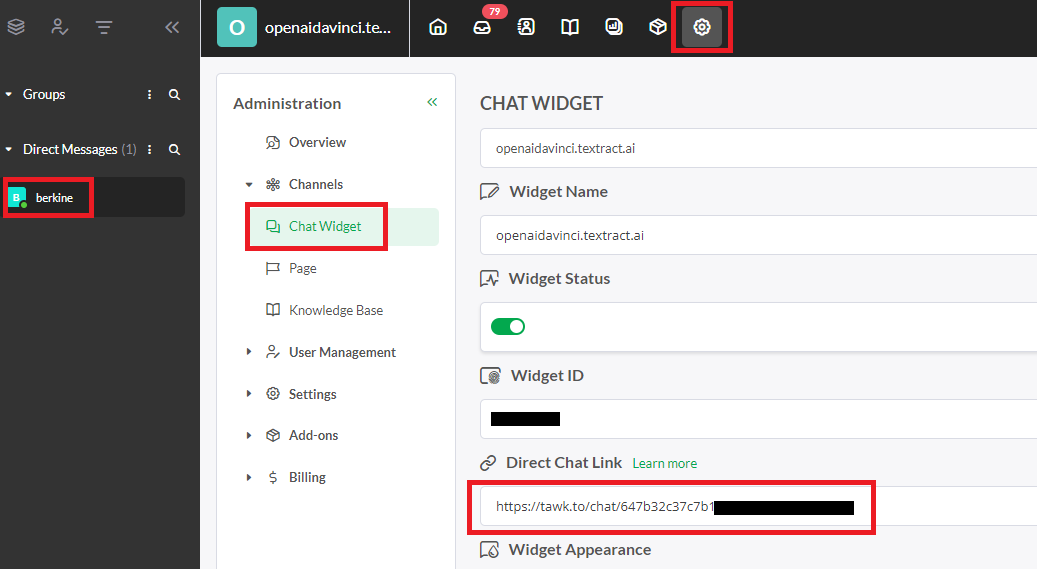
- Paste your Direct Chat link into the Live Chat section under Admin Panel - Swap Settings - Global Settings. Ensure this feature is enabled, then click save.