Google reCaptcha
To use this feature, you will need to have reCaptcha Site Key and reCaptcha Secret Key.
Step 1: Go to the Google reCaptcha Console
Step 2: Enter Label to identify your reCaptcha keys.
Step 3: For reCaptcha Type, select "reCAPTCHA v3":
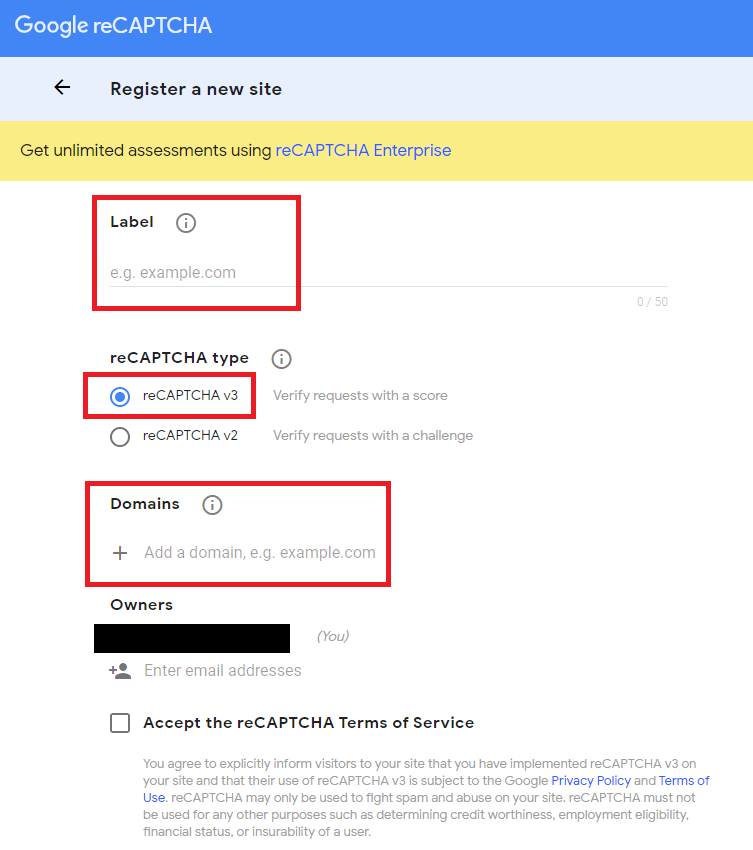
Step 4: Enter your domain name.
Step 5: Accept the reCAPTCHA Terms of Service
Step 6: Click the "Submit" button.
Step 7: Copy both "Site Key" and "Secret Key".
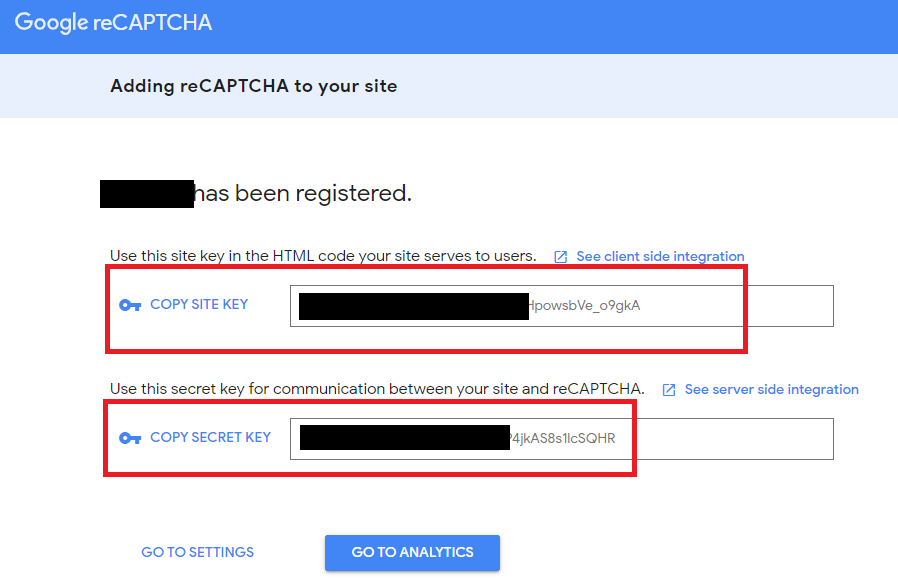
tep 8: Enter the API keys in the Admin Panel under Swap Manager -> Global Settings -> Google reCaptcha, ensuring to enable the Google reCaptcha checkbox, and then click the "Save" button.