phpMyAdmin MySQL DB Setup
How to Create a New Database in phpMyAdmin:
- Log in to phpMyAdmin.
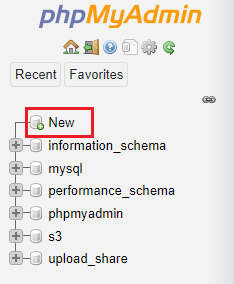
- Click on the "New" button to create a new database.
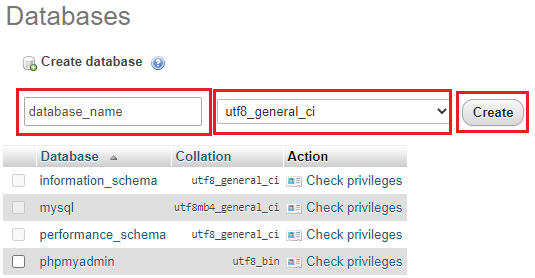
- Enter a name for the database, select
utf8_general_cias the collation, and click the "Create" button.
- Ensure you have a database user with access to the newly created database. If not, create one with all necessary permissions and set a password.
- To avoid issues with database setup, ensure that the new database uses InnoDB as the storage engine.
- Return to the Install process and enter your newly created database credentials. If using local server, you can set database host to localhost, and for mysql port use 3306